
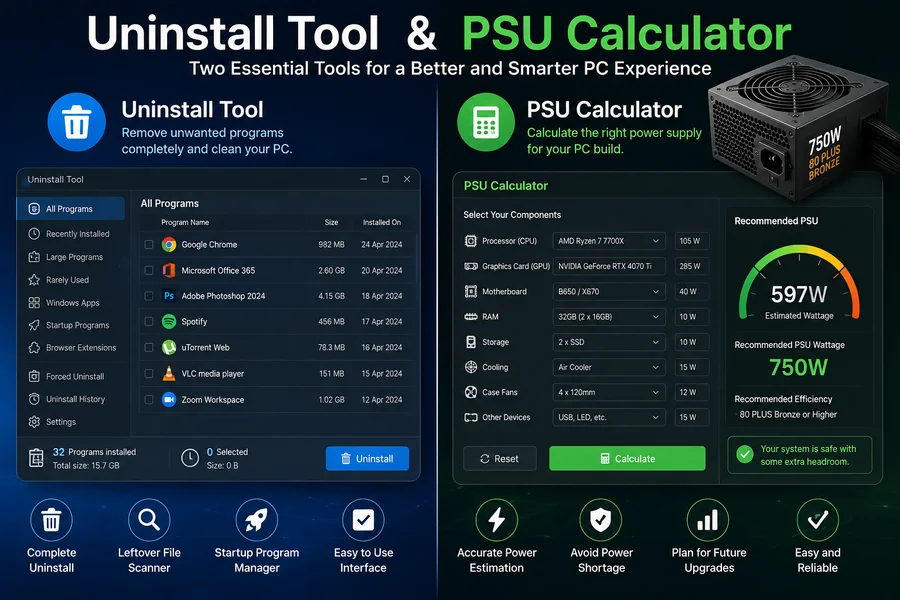
Managing a computer properly is not only about installing useful software and powerful hardware. It is also important to maintain the system, remove unwanted applications, and make sure that the hardware receives enough power. Two useful tools that can help with these tasks are an uninstall tool and a PSU calculator. While they serve completely different purposes, both can make PC maintenance and upgrades easier.
What Is an Uninstall Tool?
An uninstall tool is software designed to help users remove unwanted programs from their computers. Most operating systems already provide a built-in method for uninstalling applications, but these standard tools do not always remove every file, folder, or registry entry associated with a program.
An uninstall tool can provide a more thorough removal process. It may scan the computer after an application is removed and identify leftover files or settings. This can be particularly useful when dealing with programs that are difficult to uninstall normally.
For example, a user may install a trial application and later decide that it is no longer needed. Instead of leaving unnecessary files behind, an uninstall tool can help clean up the remaining data. This can contribute to a more organized system and free up storage space.
Benefits of Using an Uninstall Tool
One of the main advantages of an uninstall tool is convenience. Users can often manage multiple installed applications from a single interface. Some uninstall utilities also provide features such as forced removal, batch uninstallation, startup management, and leftover-file scanning.
Another advantage is troubleshooting. Sometimes an application becomes corrupted and its normal uninstaller stops working correctly. An advanced uninstall tool may be able to remove the problematic software more effectively.
However, users should always be careful when deleting system components. Removing the wrong files or applications can cause software or operating-system problems. It is best to review what an uninstall tool has identified before confirming permanent deletion.
What Is a PSU Calculator?
A PSU calculator is a tool used to estimate how much power a computer system requires. PSU stands for Power Supply Unit, which is responsible for supplying electricity to components such as the processor, graphics card, storage drives, cooling fans, and motherboard.
Choosing the right PSU is important when building or upgrading a PC. A power supply that is too weak may not provide enough power for the system under heavy workloads. On the other hand, buying a much larger PSU than necessary may increase costs without providing a practical benefit.
A PSU calculator usually asks users to enter information about their hardware. This can include the CPU, GPU, number of storage drives, RAM, cooling fans, and other components. The calculator then estimates the system’s power requirements and can suggest an appropriate PSU capacity.
Why Use a PSU Calculator?
A PSU calculator is particularly useful for people building gaming PCs, workstations, or content-creation systems. Modern graphics cards and processors can consume significant amounts of power, so estimating the total load before purchasing a PSU is a smart step.
For example, someone planning to install a powerful graphics card may use a PSU calculator to determine whether an existing power supply is sufficient. The estimate can also help users leave some additional capacity for future upgrades.
It is important to understand that PSU calculators provide estimates rather than absolute guarantees. Actual power consumption can vary depending on the specific components, workload, efficiency, and operating conditions. Users should also check the manufacturer’s recommended PSU specifications for major components.
Uninstall Tool and PSU Calculator: Different but Useful
Although an uninstall tool and a PSU calculator have different functions, both support better computer management. An uninstall tool focuses on the software side of a PC by helping remove unwanted applications and leftover data. A PSU calculator focuses on the hardware side by helping users estimate power requirements.
Together, these tools can be useful for both everyday users and PC enthusiasts. Removing unnecessary programs can help keep software organized, while calculating power requirements can help users make better decisions when upgrading hardware.
Conclusion
An uninstall tool is useful for removing unwanted applications and cleaning up leftover software files, while a PSU calculator helps estimate the power requirements of a computer system. Both tools can save time and help users make more informed decisions about their PCs.
Whether you are cleaning up an old computer or planning a new PC build, these tools can be valuable additions to your toolkit. Always review software removal results carefully and choose a power supply based on reliable hardware specifications rather than relying only on a calculator estimate.