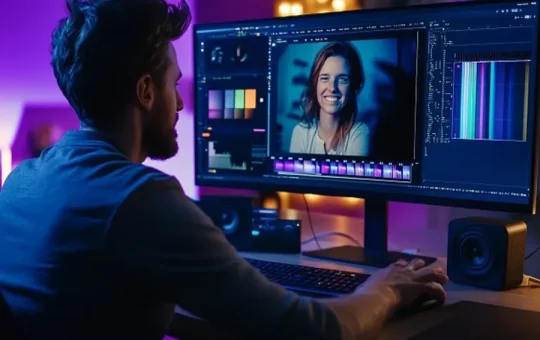

Video editing often takes longer than filming. Creators must review clips, remove weak moments, arrange scenes and polish every transition. A ChatGPT video editor online can simplify these early production stages. It turns written instructions into practical editing actions, helping creators reach a workable first cut faster.
Speed does not require careless editing. Instead, it depends on clear planning, organized footage and efficient tools. A conversational editing workflow supports those needs without removing creative control. The editor still decides which story deserves attention and how the final video should feel.
Why Traditional Video Editing Takes So Long
Raw footage creates several challenges before creative editing even begins. A creator may record twenty minutes of material for a one-minute video. Finding the strongest moments requires careful review, marking, trimming and comparison.
File organization also consumes valuable time. Editors often manage clips from cameras, phones, stock libraries and screen recordings. Poor naming conventions make this process harder. Consequently, creators may spend more time searching than editing.
Building the first timeline presents another common delay. Each clip must support the intended message, pace and format. However, an attractive shot may still weaken the story. Editors must make hundreds of small decisions before adding captions, music, or effects.
Repetitive projects increase the workload further. Marketing teams regularly adapt one video for several platforms. Each version may need different dimensions, durations, captions and opening hooks. Therefore, manual editing becomes difficult to scale.
How Conversational Video Editing Changes the Workflow
Conversational editing begins with instructions instead of complex timeline actions. A creator describes the desired result using everyday language. The workflow then helps organize the material around that direction.
For example, a creator might request a 30-second product video. The prompt could prioritize close-up shots, customer benefits and a clear closing message. The system can then identify relevant footage and suggest a logical sequence.
This approach offers a faster starting point. However, it does not eliminate professional judgment. Editors still review the draft, adjust timing and replace unsuitable clips. They also control the final visual style and narrative tone.
The main benefit comes from reducing mechanical work. Footage review, rough trimming and sequence planning often follow predictable patterns. Automating parts of that process gives creators more time for storytelling and refinement.
Prepare Your Footage Before Starting
Better input usually produces a better rough cut. Before uploading anything, remove corrupted files and obvious recording mistakes. Additionally, separate footage by scene, subject, location, or camera angle.
Simple filenames improve the process. A name like “product-closeup-blue-shirt” provides more context than “IMG_4821.” Similarly, folders should reflect the video structure whenever possible.
Creators should also define the intended platform. A YouTube tutorial needs different pacing from an Instagram Reel. Meanwhile, a product demonstration requires clearer visual evidence than a lifestyle montage.
Before editing, answer five practical questions:
- Who will watch the video?
- What should viewers understand?
- Which action should they take?
- How long should the video run?
- Where will the finished video appear?
These answers create useful boundaries. As a result, both the creator and editing system can make more focused decisions.
Write Clear Prompts for Better Video Drafts
A vague instruction often creates an unfocused result. “Make this video better” provides little guidance about purpose, structure, or audience. Instead, write prompts like a short production brief.
Begin with the content type and desired duration. Next, describe the target viewer and main message. Then specify the preferred pacing, tone and essential clips.
For example, consider this instruction:
“Create a 45-second product demonstration for first-time buyers. Open with the main problem. Show three key features and finish with installation footage.”
That prompt defines structure without controlling every frame. Consequently, the resulting draft has a stronger chance of matching the creator’s goal.
Tone also matters. Words such as energetic, elegant, educational, urgent, or relaxed influence editing choices. Additionally, creators can request quick cuts, longer demonstrations, or balanced pacing.
Avoid combining unrelated goals within one prompt. A single video should not feel luxurious, humorous, technical and urgent simultaneously. Instead, choose one primary direction and support it consistently.
Build the Rough Cut Before Adding Effects
Many beginners polish individual clips too early. They adjust colors, transitions and text before confirming the overall story. However, those edits become wasted work when the sequence changes.
Start with the rough cut. First, arrange the essential moments in their intended order. Next, remove repetition, weak pauses and distracting sections. Then review whether the story remains clear without decorative effects.
A strong rough cut should answer three questions:
- Does the opening earn attention?
- Does each scene move the message forward?
- Does the ending provide a satisfying next step?
If any answer is no, revise the structure first. Effects cannot rescue a confusing story. Similarly, impressive transitions cannot replace relevant footage.
Once the sequence works, refine the timing. Short-form content usually needs immediate movement. Educational videos may require longer pauses for comprehension. Therefore, pacing should follow viewer needs rather than a fixed formula.
Use Templates Without Losing Originality
Templates can reduce setup time considerably. They provide ready-made structures for titles, transitions, layouts and visual rhythm. Besides saving time, templates help inexperienced creators avoid basic composition problems.
However, a template should support the footage rather than dominate it. Replace generic text, stock visuals and default colors. In addition, adjust the timing to match the speaker or subject.
Brand consistency remains essential. Use approved fonts, colors, logos and graphic styles across every version. Although templates create efficiency, excessive reliance can make content feel familiar or impersonal.
Choose templates based on purpose. A fast promotional layout may suit a sale announcement. Meanwhile, a cleaner structure works better for tutorials and professional explainers.
Speed Up Captions and Format Changes
Captions have become a standard production requirement. Many viewers watch social videos without sound. Accurate on-screen text also improves accessibility and message clarity.
Automated caption preparation can save substantial time. Still, every line needs human review. Names, technical terms and brand language often require correction. Moreover, caption timing must follow natural speech patterns.
Keep caption lines short and readable. Avoid placing important text near interface buttons or screen edges. Additionally, use strong color contrast against changing backgrounds.
Multi-platform publishing creates another opportunity for faster production. Creators can prepare several aspect ratios from one approved master edit. For example, a landscape video may support YouTube, while vertical versions serve Reels and Shorts.
However, simple cropping rarely produces the best result. Important faces, products and text may leave the frame. Therefore, inspect each version and reposition critical visual elements.
Review Every Automated Editing Decision
Fast editing still requires quality control. Watch the complete draft once without stopping. This first review reveals pacing problems and confusing transitions more clearly.
During the second review, inspect technical details. Check captions, audio levels, framing, graphics and clip boundaries. Furthermore, confirm that no important sentence ends too early.
A third review should focus on audience response. Consider whether the opening feels relevant and whether the ending feels earned. Also, remove scenes that repeat information without adding value.
Never approve a draft because it looks polished at first glance. Automated selections may miss context, emotion, or brand sensitivity. Ultimately, the creator remains responsible for every published frame.
Create a Repeatable Editing System
The greatest time savings come from a consistent production system. Save prompt structures for recurring videos, such as tutorials, product demonstrations and social clips. Additionally, create reusable folders, naming rules and review checklists.
Track which instructions produce the strongest drafts. Over time, refine those prompts with clearer pacing and visual preferences. Similarly, record common corrections to prevent repeated mistakes.
A reliable system separates editing into clear stages: preparation, rough cut, review, polish and export. This structure reduces distractions and protects quality under tight deadlines.
Conversational tools can accelerate video production, but speed remains only one measure of success. Clear stories, accurate captions and thoughtful editing still matter most. When creators combine efficient workflows with human judgment, they publish faster without sacrificing professional standards.