The lifestyle videos are convincing when people, products, and surroundings flow. Credible movement makes everyday movements look natural and not set-up. When hands, fabrics, liquids, or objects behave in an unnatural way, static actions can diminish realism. Physical motion is thus an important element in contemporary visual narration. Pippit offers a hands-on creative space to develop lifestyle video ideas and polish final scenes.
What Makes Physical Motion Important in Lifestyle Content?
Motion adds to an active, connected, and credible visual environment. A good AI video generator can assist in this impact by creating synchronized movements. Realism is affected by body movement, handling of objects, reaction of fabric, and the movement of the environment. The person should hold the cup in a natural grip in order to lift or set it down. Clothing should move accordingly with the turn or move of the body. The movement of curtains, plants, water, and hair can provide subtle moving elements. These details make products seem like they fit in naturally with everyday activities. Movement should also correspond to the setting, subject, lighting, and desired emotional mood. Physical consistency develops a more solid base for convincing lifestyle storytelling.
Build Lifestyle Scenes Around Meaningful Human and Object Interaction
Seedance 2.5 emphasizes realistic object dynamics, motion, and material deformations in generated scenes. Footage is more powerful when every action that can be seen has a clear purpose in the lifestyle. Someone could open a package, dress up, pour a drink, or set up accessories. These types of actions show the use of products without sounding like a demo. These concepts can be addressed by using Pippit text prompts and reference-based workflows. Explain the interaction between people, products, furniture, and environments in a single moment. Do not have too many other things going on in the background to distract from the main interaction. Short clips are also easier to understand and remember, as they have purposeful actions.
Guide Natural Motion Through Clear Prompt Details
Open-ended prompts may be interpreted as to what direction to move. The subject, action, speed, environment, and visual mood should be identified by clear prompts. If the scene requires accurate handling of the object, refer to the movement of the hands. Explain how the movement of clothing is relative to when fashion is the main element of the composition. Add accessory motion when watches, bags, jewelry, or glasses are important visually. Pippit can accept reference inputs to aid in establishing appearance, style, composition, and mood. Maintain one continuous action in each short scene. Don’t overstuff one generation with too many unrelated movements. There should be a logical visual rhythm in the footage, which can be achieved through clear sequencing.
Motion Details That Strengthen Lifestyle Visuals
- Body movement: Make meaningful movements that are linked to the context of what is going on around them.
- Object interaction: How the subject holds, opens, moves, or uses each object.
- Material response: When it’s important to mention the material, use words like fabric, liquid, hair, or flexible materials.
- Environmental motion: Give plants, curtains, water, or other elements in the environment subtle movement.
- Movement speed: Indicate the relaxed, energetic, smooth, or deliberate pacing of the scene.
- Scene rhythm: Make sure that actions build up gradually without unnecessary cuts or breaks.
Steps to Produce Beautiful Lifestyle Content Using Seedance 2.5 Physical Motion
Step 1: Get started with the tool
- Create a Pippit account using Google, TikTok, or Facebook.
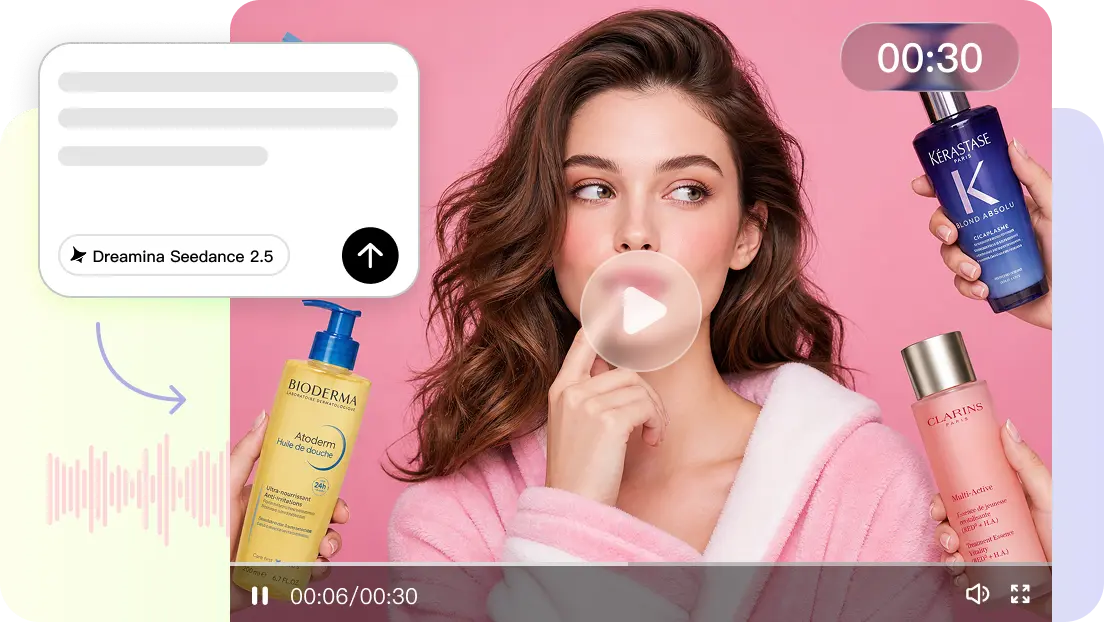
- Click the “More” tab on the left-side menu and open “Video generator”.
- Select “Dreamina Seedance 2.5” from the available AI models.
- Enter a detailed prompt describing your lifestyle scene, subject, environment, and desired movements.
- Describe natural physical actions, such as walking, turning, interacting with objects, or changing expressions.
- Choose your preferred video length, language, subtitles, and aspect ratio.
- Click “+” to add reference images or videos from your device, phone, Dropbox, or a link. You can also select available assets.
- Click “Generate” to begin creating your lifestyle video.
Step 2: Generate the video
- Pippit processes your prompt and reference media after you click “Generate”.
- Seedance 2.5 uses your motion descriptions to create physical actions and movement throughout the scene.
- The generated draft gives you an opportunity to review how the subject moves and interacts within the environment.
Step 3: Edit & export
- Click “Download” to save the generated video immediately, or choose “Regenerate” to try another result.
- Select “Edit more” below the video for additional customization.
- Refine captions, text, visual effects, colors, alignment, and other presentation details.
- Add background music or make additional adjustments to complement the lifestyle content.
- Click “Export” when your video is ready.
- Use “Publish” for direct social sharing or “Download” to save the finished video locally.
Create Different Lifestyle Atmospheres Through Motion and Pace
The character of an emotion in an otherwise similar lifestyle scene can be changed by motion. Slower gestures and gentle object movement are good for a relaxed home atmosphere. For energetic urban scenes, there can be more purposeful actions with faster transitions and more vigorous activity. Moving leaves, water, clouds, or clothing can be included in outdoor scenes. Walking, turning, moving of fabrics, and movements of the camera are all useful tools for fashion scenes. Delicate hand movements when interacting with product can be used in beauty footage. Actions of pouring, stirring, serving, and placing can be portrayed in logical order in food scenes. Pippit assists in structuring these visual ideas into structured content types for various channels. The rhythm of the scene should never interfere with the subject but should always aid the atmosphere.
Maintain Motion Continuity Across Longer AI Video Sequences
Longer sequences require a series of actions that have a physical sequence and are understandable. The person should be in a logical position between major visual moments. There should not be sudden movements of objects for no apparent reason. Pippit allows for extending scenes when further development is required. Look at each draft before prolonging it, particularly following significant character or object movements. Key moments can also be arranged by timestamp-based direction in supported generation workflows. Begin with the first action, set up a significant middle moment, then set up the final moment. This method provides more obvious continuity and less of a need for needless cuts. Continuous referrals can also help to ensure continuity between linked visual sections.
Conclusion
It’s possible to make plain lifestyle ideas become more compelling visual stories with natural dynamics. The purposeful movement provides context to the product and believable human interactions—careful prompting is needed to coordinate people, objects, materials, environment, and camera movement. Pippit combines generation, editing, references, and export in one convenient creative process. If the movement makes sense on the physical level, then lifestyle footage could be more dynamic, clean, and natural.